📦 Open Source Repository: The complete codebase, architecture schemas, and implementation files for this system are available on GitHub at rishav-dahal/Karya-Construction.
If you come from the Node.js, Go, or Python world, containerizing an app feels straightforward: you write a Dockerfile, EXPOSE 8000, and your code listens on an HTTP port.
The first time you try to containerize a PHP + MySQL project (like an inventory management portal or Laravel backend), you hit a brick wall:
- PHP doesn’t have a built-in production HTTP server. You need Nginx to handle HTTP connections and PHP-FPM (FastCGI Process Manager) to execute the code.
- The FastCGI Disconnect: Nginx and PHP-FPM run in separate containers. If your Nginx config points to
/var/www/htmlbut your PHP container mounts code at/app, Nginx throwsFile not foundorPrimary script unknown. - UID 33 Permission Hell: Your uploads directory works fine on your local laptop, but inside Docker, PHP-FPM runs as
www-data(UID 33) and crashes withPermission deniedwhen saving files. - Startup Race Conditions: Your PHP container boots in 0.8 seconds and immediately crashes because MySQL takes 8 seconds to initialize tables.
Here is the exact production Docker Compose setup I use to run PHP-FPM, Nginx, and MySQL cleanly, with zero permission issues and automated health checks.
1. The Decoupled Architecture
[Browser Request (HTTPS :443)]
             │
             ▼
┌───────────────────────────────────────────────┐
│              Nginx Container                  │
│  - Serves static CSS, JS, Images directly     │
│  - Proxies *.php scripts via FastCGI (:9000)  │
└───────────────────────┬───────────────────────┘
                        │ FastCGI Protocol (TCP :9000)
                        ▼
┌───────────────────────────────────────────────┐
│             PHP-FPM Container                 │
│  - Executes PHP scripts with opcache          │
│  - Talks to MySQL over internal Docker network│
└───────────────────────┬───────────────────────┘
                        │ TCP :3306
                        ▼
┌───────────────────────────────────────────────┐
│               MySQL Container                 │
│  - Backed by named persistent volume          │
└───────────────────────────────────────────────┘
Nginx is the front door. If a browser asks for /static/style.css, Nginx serves it directly from disk in microseconds. If the browser asks for /index.php, Nginx forwards the request over the binary FastCGI protocol to the PHP-FPM container on port 9000.
2. The Custom PHP-FPM Dockerfile
Don’t use the raw php:8.2-fpm image without installing extensions. Most apps need PDO, MySQLi, and OPcache:
# docker/php/Dockerfile
FROM php:8.2-fpm-alpine

# Install essential system dependencies and PHP extensions
RUN apk add --no-cache \
    freetype-dev \
    libjpeg-turbo-dev \
    libpng-dev \
    libzip-dev \
    zip \
    unzip \
    curl \
    && docker-php-ext-configure gd --with-freetype --with-jpeg \
    && docker-php-ext-install -j$(nproc) gd pdo_mysql mysqli opcache zip

# Configure production OPcache for maximum performance
RUN { \
    echo 'opcache.memory_consumption=128'; \
    echo 'opcache.interned_strings_buffer=8'; \
    echo 'opcache.max_accelerated_files=4000'; \
    echo 'opcache.revalidate_freq=2'; \
    echo 'opcache.fast_shutdown=1'; \
    echo 'opcache.enable_cli=1'; \
} > /usr/local/etc/php/conf.d/opcache-recommended.ini

WORKDIR /var/www/html

# Ensure www-data owns the application files
RUN chown -R www-data:www-data /var/www/html
3. The Nginx Reverse Proxy Configuration
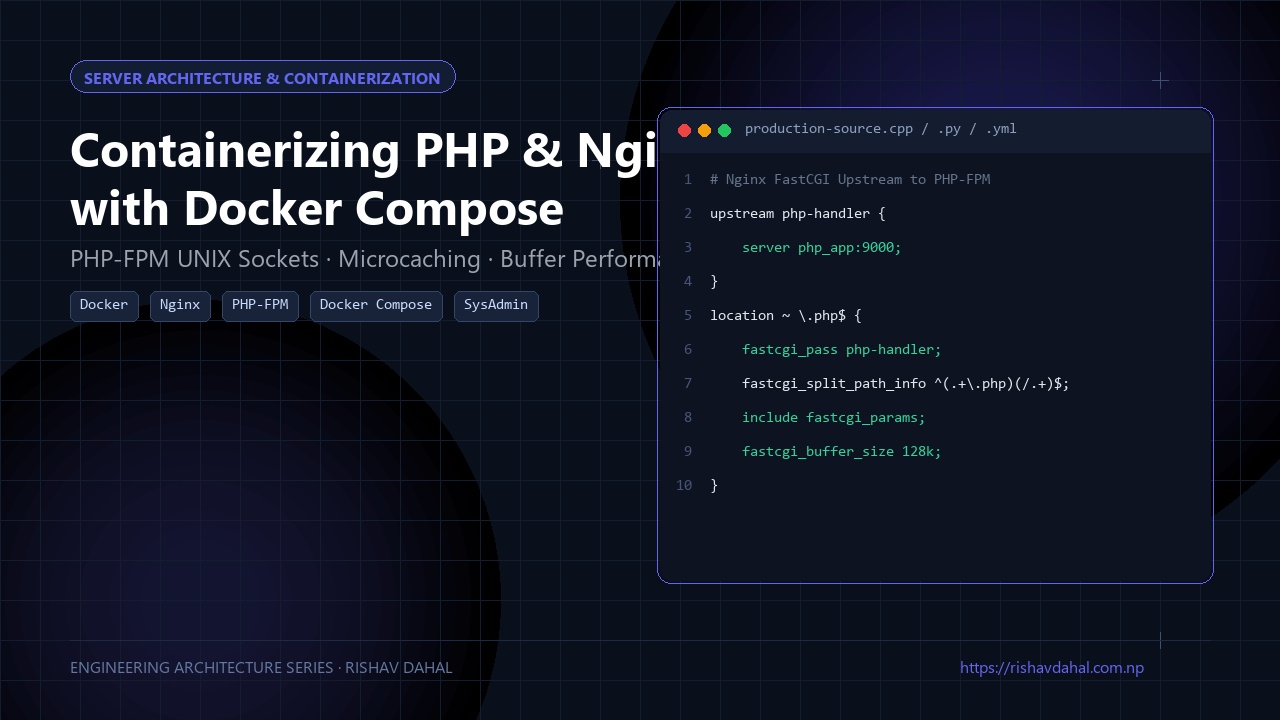
The biggest gotcha in Nginx FastCGI configuration is the SCRIPT_FILENAME parameter. Nginx must pass the exact filesystem path where PHP-FPM sees the file inside its own container:
# docker/nginx/default.conf
server {
    listen 80;
    server_name localhost;
    root /var/www/html;
    index index.php index.html;

    # Serve static assets directly without hitting PHP-FPM
    location / {
        try_files $uri $uri/ /index.php?$query_string;
    }

    # Pass PHP scripts to FastCGI server
    location ~ \.php$ {
        try_files $uri =404;
        fastcgi_split_path_info ^(.+\.php)(/.+)$;

        # 'php' matches the service name in docker-compose.yml
        fastcgi_pass php:9000;
        fastcgi_index index.php;
        include fastcgi_params;

        # CRITICAL: Path must match PHP-FPM container's filesystem!
        fastcgi_param SCRIPT_FILENAME $document_root$fastcgi_script_name;
        fastcgi_param PATH_INFO $fastcgi_path_info;

        # Buffer tuning to prevent 502 Bad Gateway on large responses
        fastcgi_buffer_size 128k;
        fastcgi_buffers 4 256k;
        fastcgi_busy_buffers_size 256k;
    }

    # Deny access to hidden files (.env, .git)
    location ~ /\. {
        deny all;
    }
}
4. The Complete docker-compose.yml with Health Checks
To prevent PHP from crashing before MySQL finishes initializing tables, we use Docker Compose’s condition: service_healthy:
version: '3.8'

services:
  nginx:
    image: nginx:alpine
    restart: unless-stopped
    ports:
      - "80:80"
    volumes:
      - ./src:/var/www/html:ro
      - ./docker/nginx/default.conf:/etc/nginx/conf.d/default.conf:ro
    depends_on:
      - php
    networks:
      - app-network

  php:
    build:
      context: .
      dockerfile: docker/php/Dockerfile
    restart: unless-stopped
    volumes:
      - ./src:/var/www/html
    environment:
      DB_HOST: db
      DB_NAME: ${DB_NAME:-inventory_db}
      DB_USER: ${DB_USER:-db_user}
      DB_PASSWORD: ${DB_PASSWORD:-secret_password}
    depends_on:
      db:
        condition: service_healthy # Waits until MySQL is actually accepting queries!
    networks:
      - app-network

  db:
    image: mysql:8.0
    restart: unless-stopped
    environment:
      MYSQL_DATABASE: ${DB_NAME:-inventory_db}
      MYSQL_USER: ${DB_USER:-db_user}
      MYSQL_PASSWORD: ${DB_PASSWORD:-secret_password}
      MYSQL_ROOT_PASSWORD: ${DB_ROOT_PASSWORD:-root_secret}
    volumes:
      - db-data:/var/lib/mysql
    networks:
      - app-network
    healthcheck:
      test: ["CMD", "mysqladmin", "ping", "-h", "localhost", "-u", "root", "-p${DB_ROOT_PASSWORD:-root_secret}"]
      interval: 5s
      timeout: 5s
      retries: 10

volumes:
  db-data:

networks:
  app-network:
    driver: bridge
5. Solving the Dreaded UID 33 Permission Problem
When your PHP application uploads user avatars or PDF invoices, it writes files to /var/www/html/uploads.
On Linux hosts, Docker volume mounts preserve host user IDs. If your host user is UID 1000, and PHP-FPM runs as www-data (UID 33), PHP cannot write to the folder.
The Fix: Run this once on your host machine before starting the containers:
mkdir -p src/uploads
sudo chown -R 33:33 src/uploads
sudo chmod -R 775 src/uploads
Or in development, pass your host user UID into the Docker build using --build-arg UID=$(id -u).
Summary
Containerizing full-stack PHP requires respecting the separation of duties:
- Let Nginx serve static files and terminate TLS.
- Let PHP-FPM run backend business logic over FastCGI.
- Tune FastCGI buffers to avoid random
502 Bad Gatewayerrors. - Use Docker Compose
healthcheckon MySQL so PHP services never boot against an unready database.
🛠️ GitHub Repository & Next Steps
The complete open-source source code and architecture discussed in this guide are publicly available:
- Project Repository: PHP-FPM, Nginx & MySQL Web Architecture on GitHub
- Developer Profile: @rishav-dahal
If you’re building a similar system or encounter edge cases in your deployment, feel free to star the repo, file an issue, or submit an optimization pull request!